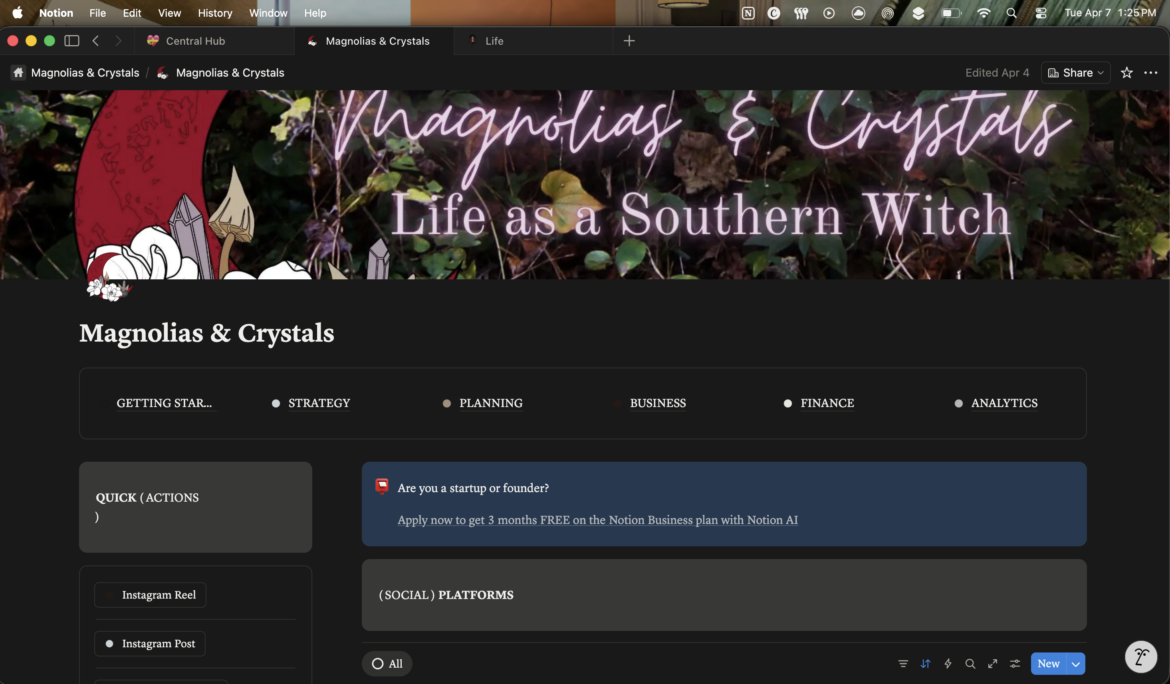
And why it is the planner that has finally gotten me on track!
Hi, Hearthfolk,
I have pretty much been a planner junkie for years. In school, having the physical paper version was helpful because it was pulled out daily to be used for every assignment all the way through college. But after I was done with school, I have to admit using a physical planner didn’t seem to make sense no matter how much I tried.
Creating a custom planner to get all the blog and content creation into from Plum Paper Planner didn’t help and making my own folio to print and use also didn’t work. I’ve had the beautiful Magic of I planners – which I still love! – and I’ve had the cheap ones from Walmart and Target. No physical copy I have owned in the last few years has worked.
But Notion? Game changer.
I was introduced to Notion mid-2023 thanks to the Glow-up Rebrand that Hillaire started that same year. It was great inspiration and the introduction to Notion… Still credit her with it.
Now while I know that Notion is so open with multiple options, I am gonna provide some links to some templates I have utilized and tweaked to work for me so don’t get too overwhelmed yet! Also, no affiliate links for these. Promise.
The point is I have found that Notion really gives me the most functionality especially with them having a calendar that is native to their environment. Being able to see ALL the things really helps me focus in on my day for the things not 9-5 hustle related. And for those of you like me who live your calendar life in Google Calendar, no worries! Notion works alongside Google and the integration keeps those calendars in sync because you can add to them from the Notion Calendar.
Content Planning
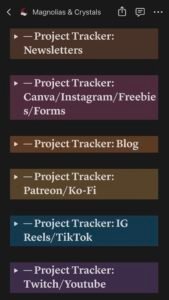
Trying to figure out how to do all my content planning has always been a struggle for me. And finding Michelle Kanemitsu’s template for Notion via her YouTube channel has been the best thing ever. You can find her template here and see how she uses it here.
This has been amazing for me and like I said, I’ve made some major tweaks by personalizing my post templates, breaking down my content by the platform as you can see in the screenshot on the right. Breaking it down in this manner let’s my mind drill down as far as I need to.
Additionally there is master content calendar on the page so that I can properly see everything no matter its status in the production process which has made visualizing all of it a little easier on my brain.
Life Planning
Yes, you read that heading correctly, friend. I use Notion for my life planning.
Something Organized over on YouTube not only shows you how to build the templates they’ve created but also sells them. I have personally purchased both their travel and financial planning templates which I love. I really get the most use out of the financial planning one right now and have as of posting this been using it for eight straight months. It has held me accountable for where I’m spending my money as well as helping me stay pretty dedicated on getting my credit card paid off again. It also helps me track my points with my travel credit card so I know what I have.
Now this lives within my Life page that I use in Notion for all my daily things. I sadly cannot find the person I duplicated it from, but it is my favorite and I’ve done – as I will continue to say – some minor tweaking to make it work for me which includes adding in these templates:
- Cleaning Template from Chloe Edmonds
- Pet Care Template from Annisa Herina
- Travel Planner from Something Organized
- Finance Tracker from Something Organized
I would share who I got my main system from for my planner, but I am unable to locate where I found it so I sadly cannot provide you with that link. If I find it, I promise I will amend this section to include it for you all.

The biggest one that has helped me is definitely that cleaning planner which I have a double love of because it shows up on the Notion calendar as you can see on the left. Yeah, those items in blue are the items that I was set to clean on the day I took that screenshot. It easier and you can adjust it to the pre-determined time frames that exist or you can do what I did and adjust the formula so you can have additional time frame options. But seriously it gives me the happy tingly feelings when I get to change a date and push something out.
Book Writing
That’s right, I use Notion to keep track of my book writing!
Especially the Character Vault by The Writer Archives. Now I originally did get this one for free but they have now monetized it on their Etsy so please go support their incredible hard work to create this template because it is so worth it.
I’ve been heavily using this for my Werewolves of London book series I’ve been writing on to keep track of the characters and this has been the template that has helped me most in doing so. The rest of my Book Writing page has really just been something I created in a way that works for me and it has been a blessing when I use it. It’s super easy for me to duplicate items when I need to.
Witchy Things
Oh you didn’t think we were going to get into a whole blog post and then not have a mention of witchy things? You realize who’s hearth you’re sitting at right?
Yes, I use my Notion to also allow me to do some witchy things. The main focal point has been getting my tarot and oracle readings into one location. While I usually prefer to write them down, traveling with the notebook I prefer to use becomes a little difficult because it doesn’t always fit when the packing comes down to what I need vs what I want to take.
However, this template by Luiza Cantini is the one that I liked the most and comes pre-loaded with the traditional deck images for the cards and their descriptions. I personally have been working to add in the images and descriptions from all my oracle decks (which are a lot). For the additional tarot card images, I’ll add them as I do my readings.
This template also allows you to add in different readings with images for the way the layout should be for the readings. I love it so far even if I’m not utilizing it yet as of posting this
In conclusion, Notion has been pretty much responsible for me making a huge turn in the last year. Certainly it has been slow to get there but with consistency working with it since 2023, I have found a way that makes it work for me.
Until our next cup of tea,

Trula Marie
Discord | Facebook | Instagram |Pinterest| StoryGraph | TikTok | Twitch | Twitter | Youtube